Time and attendance
Staff clock in and out from their phone, and the record shows where and when.
- A location check confirms the person is at the site
- An optional face check at clock-in
- Staff ask for corrections; managers approve them
Time and attendance for multi-site teams
Chrono Track gives cleaning, security and facilities companies one place to plan the rota, record attendance from the phone, and keep leave, pay and compliance in step.
In one paragraph
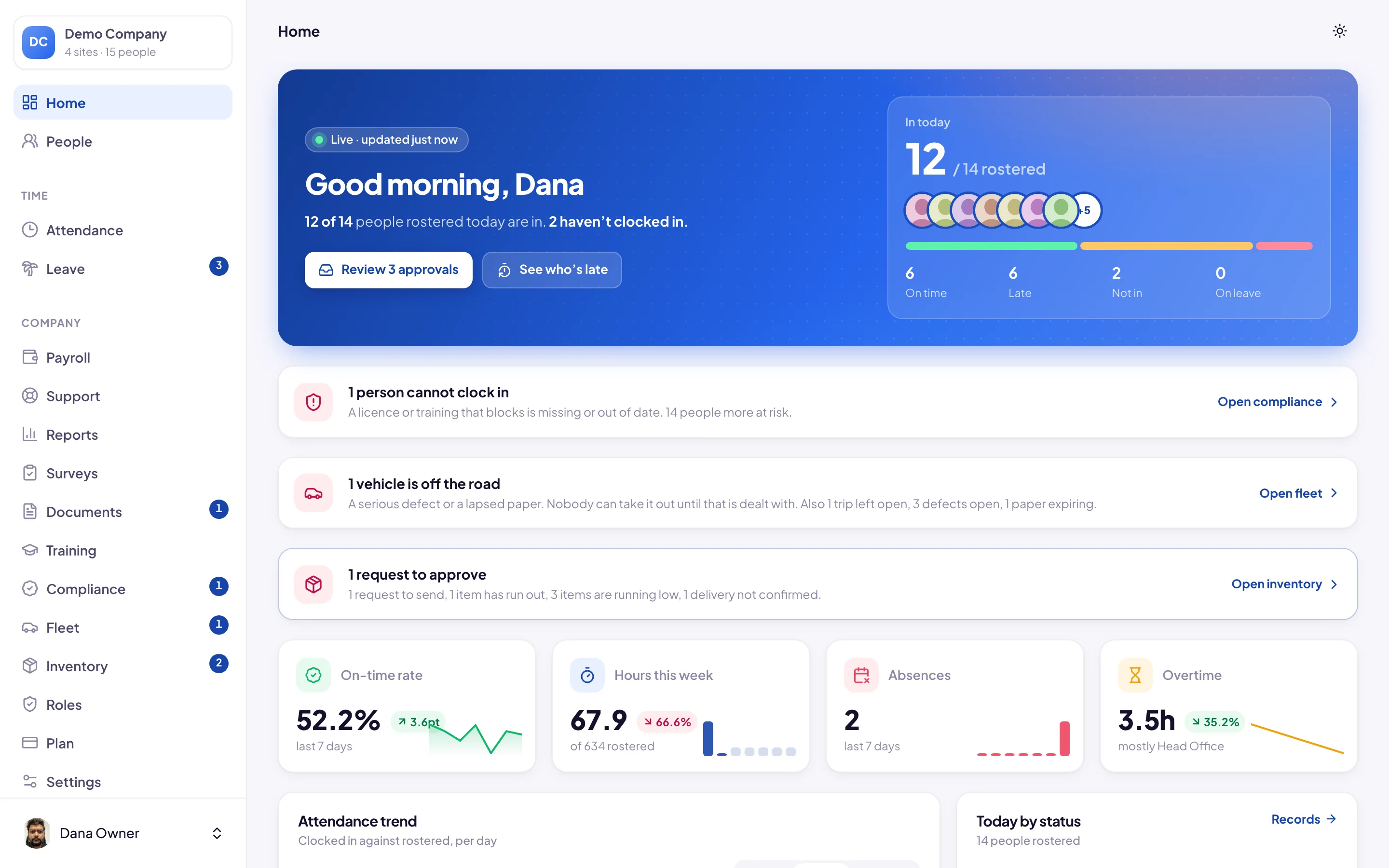
Chrono Track is time and attendance software for companies whose staff work across many sites, such as cleaning, security and facilities teams. Staff clock in and out from a mobile app, which checks they are at the site. Managers plan the rota, approve leave and corrections, and run payroll from a web console. Hours from an approved pay run can be sent on to the payroll software a company already uses. Further modules cover site inspections, staff documents and licences, training records, compliance, vehicles and supplies. Each company has its own web address and its own separate database, and the mobile app takes on that company's name and colours.
Features
Start with attendance and the rota. Switch on the rest as you need it.
Staff clock in and out from their phone, and the record shows where and when.
Plan who works where, by person or by site, and let the team see it in the app.
Requests, approvals and balances in one place, with nothing kept on paper.
Answer "is everybody on my site tonight allowed to be there?" in one screen.
Work out what the period cost, sign it off, and give everyone their payslip.
See attendance across the company without building a spreadsheet first.
Build your own checklists and have them filled in at the site, on a schedule.
Hold each person's licences and papers, and know before one runs out.
Show a client or auditor who was trained, checked and briefed.
Vans, patrol cars and bikes: who has them, and whether they are fit to go out.
Know what each site holds, what it uses, and who has which piece of kit.
Give staff one place to raise a problem, and managers one queue to work through.
Payroll connectors
Sign off the month in Chrono Track, then send the hours to your payroll system. It works out the pay; nobody types the hours in twice.
The platform
Your own web address, your own branding, and roles that match how you work.
How it works
Sign up with your company name and choose your web address. Confirm your email and your console is ready.
Set up the places you work, invite your team, and give each person the role that fits their job.
Staff sign in to the app with your company code, see their shifts, and clock in when they reach the site.
The app
Staff see today's shift, clock in when they reach the site, ask for leave and read their payslip, all in one app. After they enter your company code, it carries your company's name and colours.
Pricing
Pick the plan that fits your team today. You can ask to change it from your console at any time.
Free
Start free£99 per user / month
Start freeFAQ
Chrono Track is time and attendance software for companies whose staff work across many sites. It combines a web console for managers with a mobile app for staff, and covers attendance, rota, leave, payroll, site inspections, documents, training, compliance, fleet and supplies.
It is built for companies that send people to work at other places: cleaning, security and facilities teams, and similar businesses with staff spread across several sites.
When a person clocks in, the app compares their location with the site's location and the distance you allow. You can also ask for a face check at clock-in. The attendance record keeps where and when it happened.
Yes. Each company has its own web address, and the mobile app takes on that company's name and colours after staff enter the company code.
Yes. Every company on Chrono Track has its own separate database, so one company's records are never stored alongside another's.
Yes. Access is controlled by roles and permissions that you can edit. A manager can be limited to the sites they are assigned to, and staff see only their own records.
Yes. When a pay run is approved, Chrono Track sends each person's hours to the payroll system you already use, and that system works out the pay. There are import files made for Sage 50 Payroll, BrightPay, Moneysoft and Zoho Payroll, and a plain CSV that most other payroll systems can import.
Create your company from this page, confirm your email, then add your sites and invite your team. Staff install the app and sign in with your company code.
Create your company, add your sites, and have your team clocking in from the app.
Start free